GB vs GiB Converter: Why Your SSD Shows Less Space
Drive makers count in powers of ten, Windows counts in powers of two. Enter a capacity in any unit to see the same size in GB, GiB, TB and TiB, down to the byte
Capacity to Convert
Enter the size printed on the box or the size your system shows. Valid from 0 up to about 9,000 TB.
A system that counts in binary but prints “GB”, as Windows File Explorer does, shows this size as 931.32 GB; decimal systems and drive makers show 1,000 GB
Unit conversion only: the file system, system files and recovery partitions take additional space that is not included
How to use this tool
- Type the capacity, either the size printed on the box or the size your system shows.
- Pick its unit: decimal (MB, GB, TB) or binary (MiB, GiB, TiB).
- Read the same size in the other system, the exact bytes and the percentage the number changes by. Use Copy Result to keep it.
Worked example
A drive sold as 1 TB holds 1 × 10¹² bytes. Divided by 2³⁰ that is 931.32 GiB, and divided by 2⁴⁰ it is 0.9095 TiB, a number 9.05% smaller. Windows File Explorer prints the 931.32 with a “GB” label, so the drive seems to have lost 69 GB, but no byte is missing. A 2 TB drive (2 × 10¹² bytes) is 1,862.65 GiB or 1.819 TiB. In the other direction, 500 GiB shown by a system equals 536.87 GB in decimal units. Formatting and system files take further space that this conversion does not include.
Methodology
SI prefixes are powers of ten: kilo 10³, mega 10⁶, giga 10⁹ and tera 10¹², as listed by the BIPM. Storage makers use them, and Apple’s support page states the packaging convention as 1 GB = 1 billion bytes and 1 TB = 1 trillion bytes. For powers of two, the IEC approved separate names in December 1998 (IEC 60027-2): kibi 2¹⁰, mebi 2²⁰, gibi 2³⁰ and tebi 2⁴⁰, written Ki, Mi, Gi and Ti, and not part of the SI. A Microsoft Q&A thread describes the same behavior: Windows divides by 1,024 where drive makers divide by 1,000, and keeps printing “GB”. Everything is computed locally in your browser.
Common SSD sizes as a binary system counts them
Capacities printed on the box, converted with 1 GB = 10⁹ bytes. GiB and TiB use 2³⁰ and 2⁴⁰ bytes.
| On the box | In GiB | In TiB |
|---|---|---|
| 128 GB | 119.21 | 0.1164 |
| 256 GB | 238.42 | 0.2328 |
| 512 GB | 476.84 | 0.4657 |
| 1 TB | 931.32 | 0.9095 |
| 2 TB | 1,862.65 | 1.819 |
| 4 TB | 3,725.29 | 3.638 |
Every row comes from the tool’s own formulas. The GiB column is what a system that prints binary sizes under the “GB” label shows, which is why the 1 TB row reads 931.32 and not 1,000. Multiply any decimal GB figure by 0.9313 to get GiB. The gap grows with the prefix: 4.63% at MB, 6.87% at GB and 9.05% at TB, so bigger drives seem to lose more. A 256 GB microSD card shows 238.42 GiB for the same reason.
Storage Where the Label Gap Shows
Three real examples of decimal capacity labels: an internal SSD, a portable SSD and a microSD card

Samsung 990 PRO 2TB NVMe M.2 SSD (MZ-V9P2T0B/AM)
PCIe 4.0 NVMe M.2 2280 drive with speeds up to 7,450 MB/s as listed by the maker. The 2 TB label means 2 × 10¹² bytes, which a binary system counts as 1,862.65 GiB or 1.819 TiB.
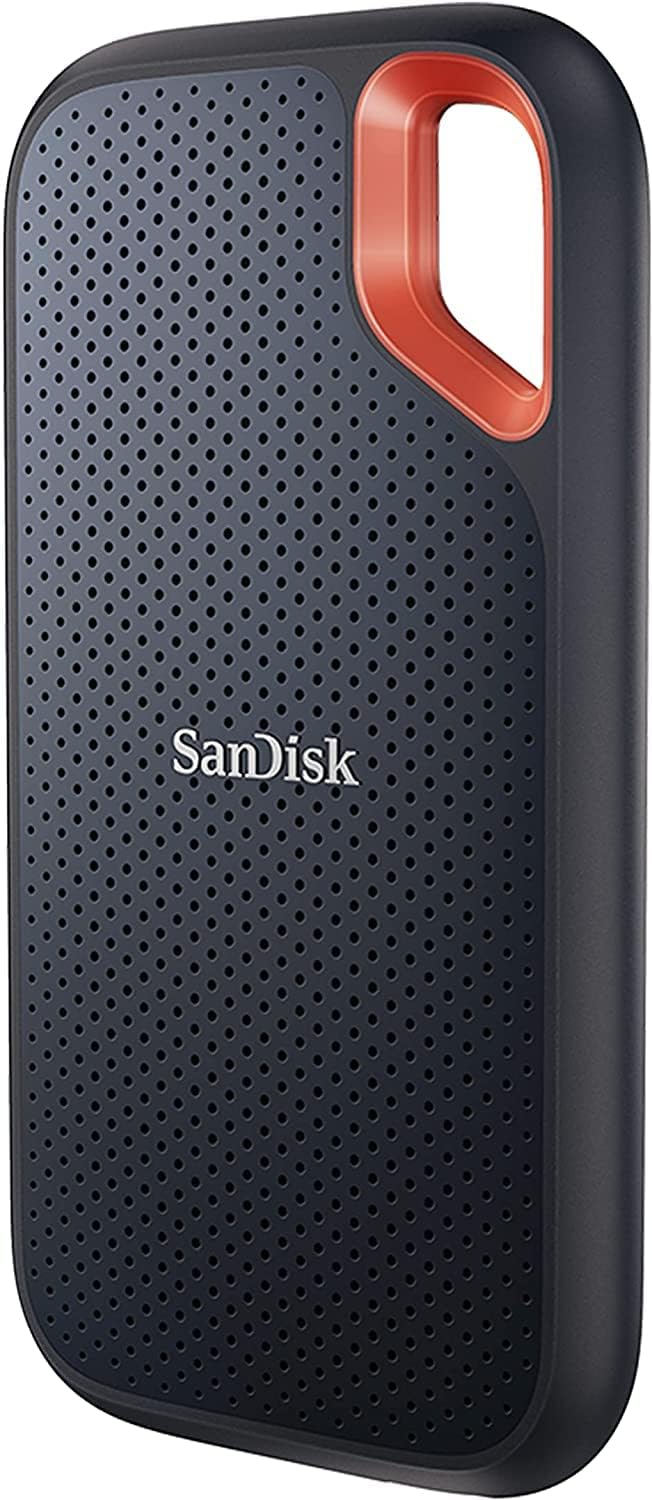
SanDisk 2TB Extreme Portable SSD, USB-C (SDSSDE61-2T00-G25)
USB-C, USB 3.2 Gen 2 and IP65 dust and water resistance, with speeds up to 1,050 MB/s as listed by the maker. Same 2 TB label, same 1,862.65 GiB in binary units.

SanDisk 256GB Ultra microSD Card (SDSQUJQ-256G-GZ6MA)
UHS-I card rated V10, U1, C10 and A4, with read speeds up to 195 MB/s as listed by the maker. 256 GB is 256 × 10⁹ bytes, or 238.42 GiB.
As an Amazon Associate we earn from qualifying purchases at no additional cost to you.
Frequently asked questions
Why does my 1 TB SSD show only 931 GB in Windows? ▼
The drive holds 1,000,000,000,000 bytes, as advertised. Windows divides by 2³⁰ to get 931.32 and prints it with a “GB” label, although the correct symbol for that unit is GiB. Nothing is missing: the same bytes are counted in a different unit. The file system and system partitions then take a further small share.
What is the difference between GB and GiB? ▼
GB is the SI gigabyte, 10⁹ bytes. GiB is the gibibyte that the IEC defined in 1998: 2³⁰ = 1,073,741,824 bytes. One GiB is 7.37% larger than one GB, and the gap grows with each prefix, from 2.40% at kilo to 9.95% at tera.
Are drive makers wrong to say 1 TB means 1,000 GB? ▼
No. The SI prefixes giga and tera are powers of ten (BIPM), and Apple documents the same convention for its devices. The confusion comes from software that counts in powers of two but keeps the decimal symbols. Prefixes such as GiB exist to remove that ambiguity.
Why do I lose more space than the conversion explains? ▼
Unit conversion only explains the first step. After that the file system structures, the operating system, recovery partitions and any reserved flash take space, and none of it is included here. A drive that shows 931.32 GiB will list less than that as free space even when it is empty. Check the drive documentation for exact figures.
How do I convert the GiB my system shows back to the advertised GB? ▼
Select GiB, type the number shown and read the GB result: 931.32 GiB gives about 1,000 GB and 500 GiB gives 536.87 GB. By hand, multiply GiB by 1.074. If your system prints “GB” but counts in binary, as Windows does, use the GiB option anyway.