Hz to ms Converter: Refresh Rate vs Input Lag
Turn a refresh rate into the time of one frame, or the other way round, compare two settings and add the delays you know to see how they add up
Your Numbers
Hz and ms are two ways to write the same rate: 1000 ÷ Hz = ms per frame. Pixel response time is a different thing from the refresh rate.
Delays you know (optional)
Take these from the product specs or from an independent measurement, and leave blank what you do not know. They are added to the frame time to estimate a latency chain.
Time per frame is 1000 ÷ Hz. Add the delays you know to estimate a latency chain.
How to use this tool
- Choose whether you know the refresh rate or the time per frame, and enter setting A.
- Optionally enter setting B to compare it with A, in the same unit.
- Optionally add the delays you know, read the results, then press Copy Result.
Worked example
144 Hz is 1000 ÷ 144 = 6.94 ms per frame and 60 Hz is 16.67 ms, so A is 9.72 ms shorter per frame (58.3% less). With a 4 ms pixel response time, 5 ms of display input lag and 2 ms of mouse latency, the chain is 17.94 ms at 144 Hz against 27.67 ms at 60 Hz. The delays you add do not change with the refresh rate, which is why the gap stays at 9.72 ms.
Methodology
A display redraws the picture Hz times per second, so each refresh lasts 1000 ÷ Hz milliseconds, and the same conversion works backwards: Hz = 1000 ÷ ms. Frames per second convert the same way. For the chain, the tool adds the time per frame of your setting to the response time, display input lag, device latency and other delay you enter. Check with the defaults: 144 Hz is 1000 ÷ 144 = 6.94 ms, 60 Hz is 16.67 ms, and the difference is 9.72 ms.
Frame time at common refresh rates
Time per frame for common refresh rates, and how much each one saves compared with 60 Hz. Every number comes from the same formula as the tool, 1000 ÷ Hz.
| Refresh rate | Time per frame | Shorter than 60 Hz by |
|---|---|---|
| 60 Hz | 16.67 ms | – |
| 75 Hz | 13.33 ms | 3.33 ms |
| 90 Hz | 11.11 ms | 5.56 ms |
| 120 Hz | 8.33 ms | 8.33 ms |
| 144 Hz | 6.94 ms | 9.72 ms |
| 165 Hz | 6.06 ms | 10.61 ms |
| 240 Hz | 4.17 ms | 12.5 ms |
| 360 Hz | 2.78 ms | 13.89 ms |
Each step up saves less than the one before: 60 to 144 Hz saves 9.72 ms per frame, while 144 to 360 Hz saves only 4.17 ms more, and 240 to 360 Hz saves just 1.39 ms. That is why the first jump from 60 Hz buys the most milliseconds and the later ones far fewer. Enter your own numbers above and add the delays you know to see how big the refresh rate’s share really is.
Gear for a Faster Setup
A 144 Hz monitor, a wireless gaming mouse and an HDMI 2.1 cable for high refresh rates
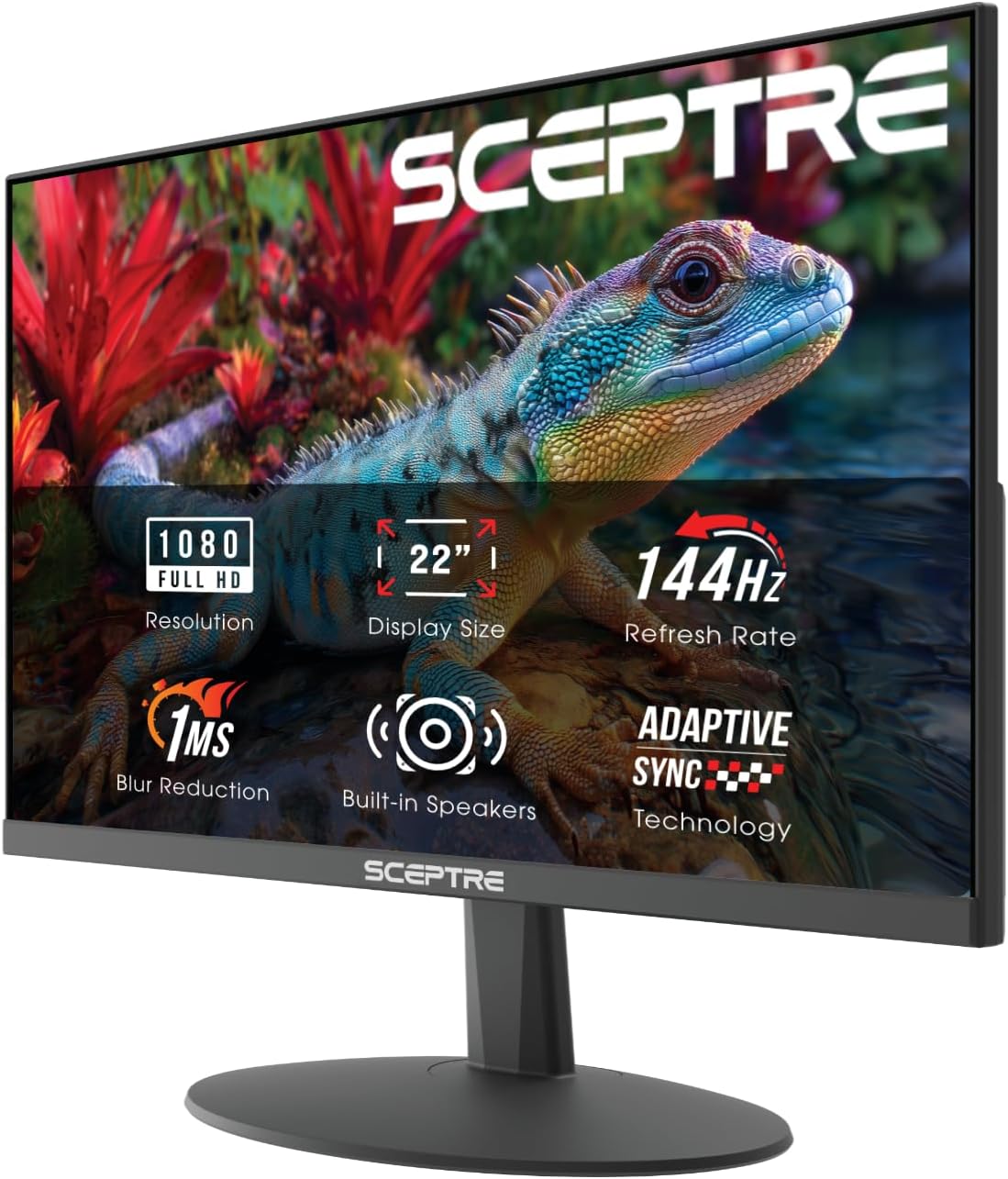
Sceptre New 22-Inch Gaming Monitor, FHD 1080p, Up to 144Hz, HDMI, DisplayPort, Built-in Speakers, Machine Black (E225W-FW144 Series, 2026)
22-inch Full HD gaming monitor, listed with up to 144 Hz, HDMI and DisplayPort inputs and built-in speakers. Check the listing for its response time and for which input reaches 144 Hz.

Logitech G305 Lightspeed Wireless Gaming Mouse - Black, 12,000 DPI, Lightweight, 6 Programmable Buttons, 250h Battery, On-Board Memory, Compatible with PC and Mac
Lightweight wireless gaming mouse, listed with 12,000 DPI, 6 programmable buttons, a 250-hour battery and on-board memory, for PC and Mac. Mouse latency counts in the chain above: use the figure you trust, such as an independent measurement.

UGREEN 8K HDMI 2.1 Cable 48Gbps 6.6FT, Certified Ultra High Speed HDMI Cord, Aluminum, 4K@240Hz 120Hz 10K 8K@60Hz, HDCP 2.2&2.3, eARC HDR 10 Dolby
HDMI 2.1 cable of 6.6 ft (2 m), listed as certified Ultra High Speed with 48 Gbps, 4K at 240 Hz and 8K at 60 Hz. Your screen, your graphics output and your settings must also support the refresh rate you want.
As an Amazon Associate we earn from qualifying purchases at no additional cost to you.
Frequently asked questions
How do I convert Hz to ms? ▼
Divide 1000 by the refresh rate. 144 Hz is 1000 ÷ 144 = 6.94 ms per frame and 60 Hz is 16.67 ms. To go the other way, divide 1000 by the time per frame in milliseconds. The same math works for frames per second.
Is a 1 ms response time the same as 1000 Hz? ▼
No. A refresh rate of 1000 Hz would mean a new image every 1 ms. A response time of 1 ms is how fast a pixel changes color, usually measured from one gray to another. A monitor can list a 1 ms response time and still refresh at 60 Hz, because the two numbers measure different things.
How much lower is the input lag at 144 Hz than at 60 Hz? ▼
The time per frame falls from 16.67 ms to 6.94 ms, so the longest wait for the next refresh is 9.72 ms shorter. The other delays, such as the pixel response, the processing inside the display and the mouse, stay the same. Total lag also depends on your game and your system, so read the result as the part that the refresh rate changes.
Does a higher refresh rate help if my game runs at 60 fps? ▼
The benefit is limited. The game still produces a new frame only every 16.67 ms, so you do not see new information more often. A faster display can show a finished frame sooner after it is ready, but the biggest gains come when the frame rate rises together with the refresh rate.
Is anything I enter uploaded? ▼
No. The calculation runs in your browser, so the numbers you type stay on your device and nothing is saved. If you reload or close the page, the fields return to their defaults.